
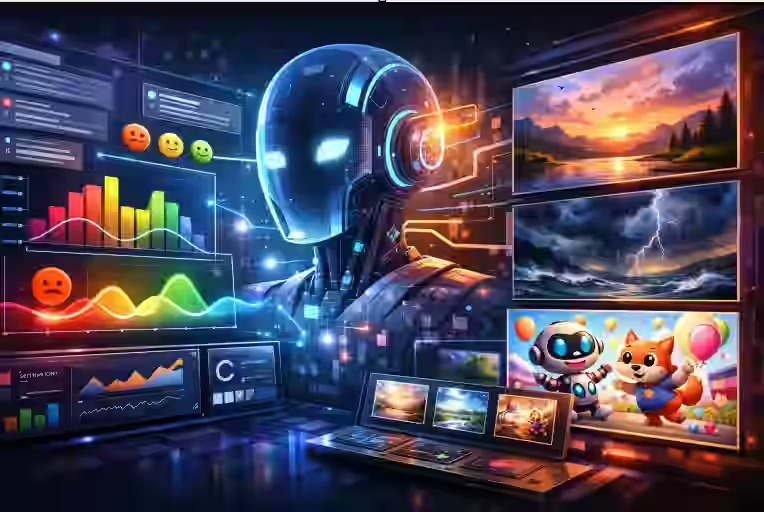
Sentiment Analysis & image generation
Artificial intelligence is getting surprisingly good at “reading the room” online. It can scan thousands of comments, reviews, or posts, figure out how people feel, and then turn those emotions into matching visuals: calm landscapes for positive feedback, stormy skies for angry reviews, playful cartoons for excited reactions, and more. This blend of sentiment analysis and image generation is already used in marketing dashboards, social media tools, and creative apps. If you’ve ever seen an automatically created “mood board” based on what people are saying about a brand, you’ve seen this idea in action.
This article walks through how that actually works, in simple terms: how AI analyzes content sentiment, how it uses those emotional cues to generate images and visuals, and how you can think about using (or building) such systems yourself.
1. Introduction
Every day, people post text everywhere: tweets, reviews, chat messages, survey comments, emails, support tickets, and more. Hidden inside all this user-generated content is something very valuable: emotion.
Businesses want to know:
- Are customers happy or frustrated?
- What’s the mood around a new product launch?
- How do employees feel about new policies?
But humans can’t read everything. That’s where AI comes in.
Today, two powerful AI technologies often work together:
- Sentiment analysis – to understand how people feel from text.
- Generative image models – to create visuals and graphics from text descriptions.
When combined, they can automatically:
- Turn a stream of reviews into a visual mood report.
- Generate custom illustrations that match the emotional tone of a message.
- Build dashboards where charts, icons, and backgrounds change with audience sentiment.
Let’s start with the basics.
2. Beginner-Friendly Explanation of the Topic
What is sentiment analysis?
Sentiment analysis is a type of natural language processing (NLP) that tries to answer a simple question for any piece of text:
Is this mostly positive, negative, or neutral?
And how strongly?
For example:
- “I love this product!” → positive, high intensity
- “It’s okay, nothing special.” → neutral or slightly positive, low intensity
- “This is the worst experience I’ve ever had.” → very negative, high intensity
More advanced systems go deeper and detect emotions like joy, anger, sadness, fear, surprise, or disgust using emotion classification models.
What are AI image generators?
AI image generators are models (like DALL·E, Midjourney, or Stable Diffusion) that turn text prompts into images. For example:
- “A happy dog playing in a sunny park, cartoon style”
- “Dark storm clouds over a city, realistic photo”
The model uses patterns it learned from millions of images and captions to create new images that match your description. This is often called text-to-image generation.
How do they work together?
To combine the two:
-
Analyze the text for sentiment and emotion.
The AI reads the message, review, or post and assigns emotions. -
Translate that emotion into a visual style and content.
The system picks colors, imagery, and styles that fit the mood. -
Generate an image with a prompt that includes the sentiment.
The AI image generator receives a prompt like:
“A bar chart with green upward arrows, celebrating success, bright and optimistic.”
So the text “Sales are great and customers are thrilled!” might become:
- A bright, green-themed dashboard card
- A happy illustration of customers
- An icon with smiling faces and thumbs-up symbols
All without a human designer in the loop.
3. Why This Topic Matters
This combination is more than a neat trick. It has practical impact in many fields.
For businesses and marketing teams
- Faster insight: Sentiment analysis can process millions of social media posts and reviews, then automatically visualize the mood as graphs, icons, or infographics.
- More engaging reporting: Instead of plain numbers, dashboards can use data visualization that instantly communicates emotion (e.g., red storm clouds for crisis, calm blue skies for stability).
- Personalized content: Campaign images can be tuned to match audience mood in real time based on social listening.
For product and UX teams
- Dynamic interfaces: A support tool might change color schemes or icons based on customer frustration levels measured through conversation sentiment.
- Better prioritization: Negative sentiment can trigger visual warnings or highlighted cards.
For creators and communicators
- Automatic mood boards: Writers, designers, or filmmakers can drop in feedback or story text and quickly see visual interpretations of the emotional tone.
- Data storytelling: Journalists or analysts can turn large text datasets into visual narratives that feel human and emotional.
At the same time, these systems raise important questions about bias, privacy, and accuracy. So understanding how they work is not just interesting; it’s also critical for using them responsibly.
4. Core Concepts (Key Ideas)
Let’s break down the main building blocks involved when AI analyzes sentiment and then auto-generates visuals.
4.1 Sentiment classification
This is the basic step: deciding if text is positive, negative, or neutral.
A simple workflow might look like:
- Clean the text (remove special characters, normalize case).
- Convert words into numerical form (embeddings).
- Feed this into a trained model (often a transformer-based model such as BERT or similar).
- Get a label (positive/negative/neutral) and sometimes a confidence score.
Many systems go beyond three labels and use:
- Polarity score: A number from -1 (very negative) to +1 (very positive).
- Intensity: How strong the feeling is, e.g., “slightly negative” vs “extremely negative”.
4.2 Emotion detection
Emotion detection adds nuance. Instead of just “negative,” the model may say:
- Anger
- Sadness
- Fear
- Disappointment
- Excitement
- Joy
This is particularly useful when generating visuals because different emotions map naturally to different imagery:
- Joy → bright colors, open shapes, smiling faces
- Anger → sharp angles, red tones, aggressive motion
- Calm → soft gradients, blues and greens, simple compositions
4.3 Aspect-based sentiment
People rarely feel one thing about a product or topic; they feel different things about different parts.
For example, in a review:
“The camera quality is amazing but the battery life is terrible.”
Aspect-based sentiment analysis tries to detect:
- Aspect: camera → sentiment: positive
- Aspect: battery → sentiment: negative
This is powerful for visuals. You might automatically generate:
- A split image: left side glowing camera, right side dim battery icon.
- A dashboard card with green visuals for camera features and red visuals for battery performance.
4.4 Text-to-image prompting
Once the system understands sentiment, it needs to create a prompt for the image generator. The prompt typically has:
- Subject: What the image is about (e.g., customers, charts, brand assets).
- Style: Illustration, photo-realistic, flat icons, etc.
- Mood modifiers: Words tied to sentiment (“dramatic,” “cheerful,” “gloomy,” “minimalistic”).
- Color and composition hints: Warm vs cool colors, busy vs simple layouts.
For example, a negative sentiment around support tickets might produce a prompt like:
“Illustration of a stressed customer on a laptop with red error icons, dark muted color palette, conveying frustration.”
4.5 Visual sentiment mapping
Over time, designers and data teams can define a visual language to map emotions to visuals. For instance:
- Positive sentiment → green, upward arrows, smiling faces, sun, clear skies.
- Negative sentiment → red or dark tones, downward arrows, storms, frowns.
- Neutral → grays and blues, balanced, simple shapes.
This mapping can be handcrafted or learned using machine learning, but it underpins how sentiment turns into visual storytelling and style.
5. Step-by-Step Example Workflow
To make it concrete, imagine you’re building a simple system that:
- Reads product reviews from an online store.
- Analyzes each review’s sentiment and emotions.
- Generates a small visual card that represents the review’s mood.
Here’s a step-by-step workflow.
Step 1: Collect the text data
You pull, say, 10,000 recent reviews via an API. Each has:
- Text of the review
- Star rating (optional, can help supervise)
- Product and timestamp
Step 2: Preprocess the text
Before analysis:
- Remove extra whitespace and HTML tags.
- Normalize case (lowercase everything).
- Optionally remove URLs and emojis or map emojis to text (
 → “happy”).
Step 3: Run sentiment and emotion analysis
You pass each review into a sentiment/emotion model. For each one, you get something like:
- Polarity: -0.8 (strongly negative)
- Emotion: “anger”
- Aspects:
- “delivery” → negative
- “product quality” → neutral
Step 4: Decide visual properties
Based on these outputs, your logic might say:
- For polarity ≤ -0.5 and emotion “anger”:
- Color palette: deep reds and dark grays
- Icon or metaphor: broken box, storm cloud, exclamation mark
- Highlight the negative aspect (delivery) in the caption.
You create a prompt template:
“A flat vector illustration of [ICON] in [COLOR PALETTE], representing [EMOTION], minimalist style, white background, suitable for a dashboard card.”
Fill it in:
“A flat vector illustration of a broken delivery box under a storm cloud in dark red and gray tones, representing customer anger, minimalist style, white background, suitable for a dashboard card.”
Step 5: Generate the image
You send this prompt to your AI art generator or image-generation API. It returns one or more candidate images.
You might also:
- Resize/crop the image for your dashboard.
- Cache images for repeated patterns (e.g., generic “angry delivery” icon reused across multiple similar reviews).
Step 6: Display and iterate
The final result for the user might be:
- A sentiment score and short text summary.
- Next to it, a visual card with the angry storm-cloud delivery illustration.
Developers and designers then:
- Check if visuals match intuition.
- Adjust prompt templates and visual mappings (e.g., too dramatic? Too dark? Not clear?).
Over time, the system gets better at matching how humans perceive the mood.
6. Real-World Use Cases
Here are some practical scenarios where sentiment-powered visuals already make sense.
6.1 Brand and social listening dashboards
Social media monitoring tools can:
-
Analyze posts mentioning a brand or campaign.
-
Group them by sentiment and topic.
-
Automatically generate:
- Emotion-themed heatmaps
- Mood-based infographics
- “Emotion snapshots” for each region or audience segment
Instead of reading hundreds of posts, a manager can glance at visuals to see if things are trending hopeful, angry, or confused.
6.2 Customer feedback and NPS programs
Customer experience teams collect:
- Net Promoter Score (NPS) comments
- Open-ended survey responses
- Support case notes
Sentiment-driven visuals can:
- Color-code and style charts and tiles based on customer mood.
- Automatically create “emotion boards” for quarterly reviews.
- Generate presentation-ready slides showing how customer sentiment shifted after a product release.
6.3 E‑commerce and review platforms
Online stores can:
- Generate visual summaries of how people feel about a product (“Mostly happy about quality, unhappy about shipping”).
- Use emotional visuals on product pages to show confidence or highlight concerns.
- Create marketing images based on dominant sentiment themes in positive reviews.
6.4 Workplace analytics and employee feedback
HR and people teams analyze:
- Pulse surveys
- Exit interviews
- Internal chat trends
Sentiment-aware visuals can:
- Highlight departments with rising frustration.
- Represent themes like “overwork” or “lack of recognition” visually.
- Help leadership understand emotional trends quickly without reading every comment.
6.5 Creative tools and storytelling
Writers, game designers, and filmmakers can:
- Drop in a story outline and generate mood boards that evolve as the story becomes darker or more hopeful.
- Visualize character arcs based on emotional shifts.
- Experiment with different visual interpretations of the same emotional scene.
7. Best Practices
If you’re designing or using such a system, a few practices can dramatically improve results.
7.1 Combine models with human feedback
- Use AI to do the heavy lifting.
- Let humans review, correct, or approve visual mappings—especially for high-stakes reports or public-facing content.
7.2 Start simple with sentiment, then add emotion
- Begin with basic positive/negative/neutral.
- Make sure your visuals reflect this clearly (e.g., green/red/gray).
- Once stable, add more nuanced emotional categories, and refine your visual language accordingly.
7.3 Make mappings transparent
- Document how each sentiment or emotion maps to colors, icons, and styles.
- Allow users to customize some of these mappings (e.g., a brand may prefer blue over green for “positive”).
7.4 Respect privacy and context
- Anonymize personal data where possible.
- Be careful using sentiment analysis on private or sensitive communications.
- Avoid using visuals in ways that might embarrass or misrepresent individuals.
7.5 Test for bias and fairness
- Sentiment models can misread slang, dialects, or language from certain groups.
- Test across diverse samples and adjust models or thresholds.
- Avoid making important decisions (like firing employees or banning users) based solely on automated sentiment judgments.
8. Common Mistakes
Here are some pitfalls to watch out for when combining sentiment analysis with auto-generated visuals.
8.1 Taking model outputs as absolute truth
Sentiment analysis is probabilistic, not perfect. Misclassifications happen:
- Sarcasm (“Yeah, great job…”) might be misread as positive.
- Mixed reviews with both praise and criticism can get oversimplified.
Always treat scores as signals, not verdicts.
8.2 Overcomplicating the visual language
Packing too many emotions, colors, and icon styles into one dashboard can overwhelm users. It’s better to:
- Keep a small, consistent set of visual patterns.
- Use nuance sparingly for key insights.
8.3 Ignoring the domain
A “negative” sentiment in bug reports might be normal and even productive (“The app crashes here; please fix it”). Treating everything negative as “bad news” can be misleading.
Tune your system to your domain—support tickets, product reviews, or internal feedback each behave differently.
8.4 Generating visuals without guardrails
Unconstrained image prompts can produce:
- Off-brand visuals
- Inappropriate or confusing imagery
- Overly dramatic or trivializing representations of serious feelings
Use prompt templates, style constraints, and basic content filters.
8.5 Not involving designers
Engineers might wire things up correctly from a data perspective, but designers are crucial for:
- Choosing readable and accessible colors.
- Ensuring images are clear at small sizes.
- Aligning visuals with brand and audience expectations.
9. Summary / Final Thoughts
AI systems can now do something remarkably human: read text, sense the mood behind it, and express that mood visually. By combining:
- Sentiment and emotion analysis (understanding how people feel), with
- Text-to-image generation (creating visuals from descriptions),
we can transform massive amounts of unstructured text into visuals that tell emotional stories at a glance.
This has clear value in marketing, customer experience, employee engagement, and creative work. But it also comes with responsibilities: managing bias, respecting privacy, and not over-trusting automated judgments.
If you’re thinking about using these technologies, start small:
- Analyze a limited dataset.
- Define a simple visual language.
- Involve designers and subject-matter experts.
- Iterate based on feedback from real users.
Over time, you can build powerful, emotionally aware visual systems that help people understand each other—and their data—a little better.
10. FAQs
1. What is sentiment analysis in simple terms?
Sentiment analysis is a way for computers to “read” text and decide whether it sounds positive, negative, or neutral. More advanced versions can tell which specific emotions—like joy or anger—are being expressed.
2. How does AI know what kind of image to generate from sentiment?
The system uses rules or learned mappings that connect emotions to visual features. For example, joy might map to bright colors and open shapes, while sadness maps to cooler, muted tones. These mappings are then used to build a text prompt for an image generator.
3. Do I need to be a programmer to use sentiment-powered visuals?
Not necessarily. Many tools and platforms offer sentiment dashboards and visualizations out of the box. However, to build a custom pipeline that tightly integrates with your products, you’ll likely need developers and possibly data scientists.
4. Can sentiment analysis detect sarcasm or humor?
Sometimes, but not reliably in all cases. Sarcasm, irony, and subtle humor are still challenging. Models are improving, but they often misread sarcastic positive words as genuinely positive sentiment.
5. Are these systems accurate enough for serious decisions?
They can be very useful for spotting trends and patterns across large datasets. But for high-stakes decisions—like disciplinary actions or public policy—relying solely on automated sentiment analysis is risky. Human review should always play a role.
6. How do AI models avoid offensive or inappropriate visuals?
Responsible systems use content filters, style constraints, and human-curated prompt templates to minimize inappropriate outputs. However, no system is perfect, so monitoring and guardrails are important.
7. Can this work in languages other than English?
Yes. Many sentiment models support multiple languages, and image generators work with multilingual prompts. That said, accuracy can vary by language, especially for slang and regional expressions.
8. What data is typically analyzed for sentiment before generating visuals?
Common sources include product reviews, social media posts, customer support tickets, survey comments, chat logs, and internal feedback forms. Any text where people express feelings or opinions can be analyzed.
9. How do brands keep the visuals on-brand when using AI?
They define style guidelines (colors, icon styles, fonts, composition rules) and bake those into prompt templates or post-processing steps. Designers usually review and refine these templates so outputs stay consistent with the brand.
10. Is it expensive to implement sentiment-based image generation?
Costs depend on scale and tooling. Using existing cloud APIs for sentiment and image generation can be relatively affordable for moderate volumes. Building and hosting your own large models is more costly and typically only makes sense for organizations with significant data and customization needs.
Published by Kamrun Analytics Inc. Last update: December 16, 2025