
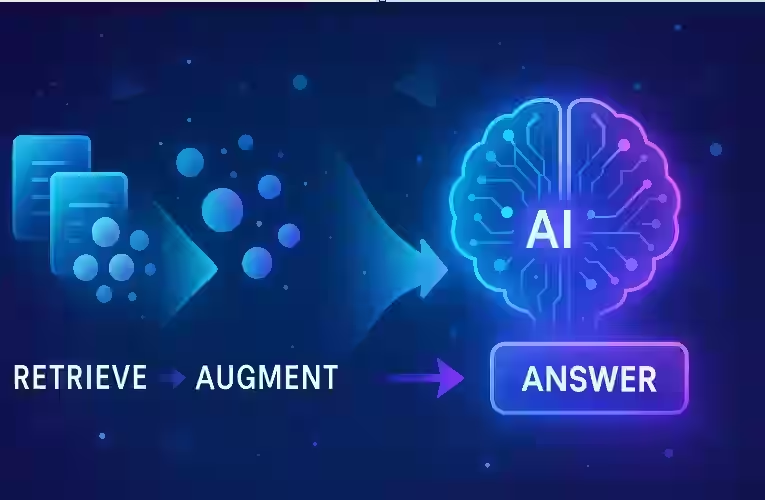
Knowledge base augmentation
Retrieval-Augmented Generation (RAG) is a design pattern that addresses both the two LLM limitations (a) Their knowledge is frozen at training time (b) They don’t “see” your private data (unless you explicitly give it to them). Instead of asking the model to rely solely on what’s stored in its internal parameters, you let it search an external knowledge source (like your document store or database) and then use what it finds to craft a better answer
At a high level, RAG just means:
“Look things up first, then generate.”
But under the hood, there’s a bit more structure. Let’s unpack it step by step.
1. Beginner-Friendly Explanation of how RAG works
Imagine you’re taking an open-book exam.
- If you answer only from memory, you’re like a plain LLM.
- If you’re allowed to flip through your textbook and notes before answering, you’re behaving like a RAG system.
In a RAG setup:
- You send a question to a retriever.
- The retriever searches through a collection of documents and returns the most relevant snippets, using semantic search over your knowledge base.
- Those snippets are fed into a generator (the LLM).
- The LLM uses both your question and the retrieved snippets to produce an answer.
So RAG is essentially:
- Retrieval: “What pieces of information might help?”
- Augmentation: “Attach this information to the prompt.”
- Generation: “Use it to answer the question.”
This makes the model:
- More accurate on specific, knowledge-heavy tasks.
- Easier to update (because you change the documents, not the model weights).
- More explainable (you can show which sources were used).
2. Why RAG Matters
RAG is important for several reasons:
2.1 Keeps Answers Current
LLMs are trained on a snapshot of the world. If you need information about:
- Yesterday’s financial report,
- A product manual updated last week,
- An internal policy that never existed online,
the base model simply does not “know” it. With RAG, you put that information in your own knowledge base and let the system retrieve it at query time as part of an AI search workflow.
2.2 Uses Your Private or Proprietary Data
Enterprises, research labs, and even individuals often have:
- PDFs, wikis, and emails,
- Databases and logs,
- Customer tickets and chat histories.
RAG is a safe way to use this data at inference time without retraining the whole model. You control what documents go in, and you can filter what’s allowed to be retrieved.
2.3 Improves Factual Accuracy
Research on retrieval-augmented models shows that giving a model access to relevant passages tends to improve factuality and specificity. Instead of hallucinating an answer from thin air, the model can quote or paraphrase a source. .. … Learn more How RAG Improve Accuracy
2.4 Easier Maintenance and Governance
If you discover wrong or outdated information:
- In a pure LLM approach, you’d need fine-tuning or a new model.
- In a RAG approach, you update or remove the problematic documents in your index.
That’s much easier to manage in production systems and enterprise AI applications.
3. Core Concepts in RAG
Let’s break RAG down into the 3–6 key building blocks you’ll see in almost every implementation.
3.1 Documents and Chunking
Your raw data usually comes in messy forms: long PDFs, HTML pages, long reports, etc. LLMs and retrievers work best with smaller pieces, so you typically:
- Split documents into chunks (e.g., 500–1500 tokens each).
- Optionally add overlapping text between chunks to preserve context.
- Keep metadata for each chunk (source title, URL, author, timestamps, access rules).
These chunks become the “atomic units” that the retriever can search over in a knowledge base or vector database.
3.2 Embeddings and Vector Stores
To make retrieval efficient and semantic (based on meaning, not exact keywords), RAG systems use embeddings:
- An embedding model converts text into a numerical vector (a list of numbers).
- Similar texts end up with similar vectors in this embedding space.
- A vector store (like FAISS, Milvus, Pinecone, Chroma, etc.) stores these vectors and supports fast similarity search.
For each chunk, you store:
- The text,
- Its vector representation,
- Metadata.
When a user asks a question, you also embed the question and find the chunks whose vectors are closest via semantic similarity search.
3.3 The Retriever
The retriever is the component that:
- Takes a query (e.g., “How do I reset my password?”).
- Embeds it into a vector.
- Searches the vector store for the top‑k nearest chunks.
- Optionally re-ranks or filters them.
There are different retrieval strategies:
- Dense retrieval: uses embeddings (semantic similarity).
- Sparse retrieval: uses keyword-based methods like BM25.
- Hybrid retrieval: combines both to cover cases where either meaning or exact term matching works better.
3.4 The Generator (LLM)
The generator is the large language model that:
- Receives the user’s question,
- Receives the retrieved chunks (often concatenated into a context section),
- Produces a natural language answer.
The prompt is typically structured something like:
You are an assistant answering based only on the provided context. If the answer is not in the context, say you don’t know.
Question:
{user_question}Context:
{chunk_1}
{chunk_2}
…
The LLM then “reads” this context and generates a response, effectively doing grounded generation over your retrieval results.
3.5 Orchestration / RAG Pipeline
You need some glue code or an orchestration framework to connect retrieval and generation. This might be:
- A custom backend service,
- A toolkit like LangChain, LlamaIndex, Haystack, etc.,
- Cloud-native pipelines or an AI orchestration platform.
The orchestration layer handles:
- Chunking and indexing data,
- Running retrieval on each query,
- Building the prompt, … Rules of Prompt Engineering
- Calling the LLM API,
- Returning the answer and optional citations
… RAG Pipeline with LangChain
3.6 Variants: RAG-Sequence vs RAG-Token
In research, especially in the original RAG paper, there are different ways to incorporate retrieved passages:
- RAG-Sequence: Retrieve once per answer and condition the entire generation on the same set of documents.
- RAG-Token: Potentially use different retrieved passages at different timesteps of generation (more flexible but more complex).
In practical applications, most implementations follow the simpler “retrieve once, then generate” pattern, sometimes with multiple rounds (iterative retrieval).
4. Step-by-Step Example: A Simple RAG Workflow
Let’s put all of this together in a concrete, end-to-end example. Assume you’re building a Q&A assistant for your company’s internal knowledge base.
Step 1: Prepare Your Data
- Collect sources:
- Confluence pages, PDF manuals, onboarding docs, support runbooks.
- Normalize them into text:
- Strip HTML, extract text from PDFs.
- Split into chunks:
- For example, every 800–1,000 tokens with a 100–200 token overlap.
- Attach metadata:
{"source": "HR Handbook", "section": "Vacation Policy", "access": "employees"}.
Step 2: Build the Vector Index
- Choose an embedding model (e.g., an open-source model or an API).
- For each chunk:
- Compute its embedding vector.
- Store it in a vector database along with text and metadata.
Now your documents are searchable by semantic similarity, enabling retrieval-augmented generation over your private corpus.
Step 3: Handle a User Query
A user asks:
“Do we have a policy for working remotely from another country?”
Your pipeline does the following:
-
Embed the query using the same embedding model.
-
Retrieve top‑k chunks (say k = 5) with highest similarity scores.
-
Optionally filter by metadata (e.g., only “Policy” documents; only documents visible to this user).
-
Combine the chunks into a context string. For example:
- “HR Handbook – Remote Work Policy: …”
- “Tax Compliance for Cross-Border Work: …”
Step 4: Construct the Prompt
Create a prompt template such as:
You are a company policy assistant. Answer the user’s question using ONLY the information in the context. If the answer is not fully covered, say you don’t know or suggest who to contact.
Question:
Do we have a policy for working remotely from another country?Context:
[Chunk 1: text…]
[Chunk 2: text…]
…
Step 5: Generate the Answer
Send this prompt to the LLM. It might answer:
Yes. According to the “Remote Work and Cross-Border Employment” section, employees may work remotely from another country only with prior approval from HR and the Legal department. The policy notes that tax residency, visa status, and data protection requirements must be evaluated before authorization.
Optionally, your system can:
- Return the answer plus links to the underlying documents.
- Log which chunks were used (for debugging and auditing).
Step 6: Iterate and Improve
Over time you might:
- Tune how you chunk documents.
- Adjust k (number of retrieved chunks).
- Switch embedding models for better semantic matches.
- Add reranking or filters (e.g., by recency or department).
5. Real-World Use Cases
RAG is already used across many domains:
5.1 Customer Support Assistants
- Pull answers from knowledge bases, FAQs, troubleshooting guides.
- Generate personalized answers that cite the most relevant articles.
- Reduce ticket volume and handle long-tail questions with retrieval-based QA. … Learn more RAG Customer Support Automation
5.2 Internal “Company ChatGPT”
- Employees ask: “What’s our parental leave policy?” or “How do I deploy service X?”
- The assistant retrieves internal docs, engineering runbooks, and handbooks.
- Helps new hires ramp up faster and reduces context-switching.
5.3 Legal and Compliance Research
- Retrieve clauses from contracts, case law, or regulations.
- Generate summaries: “How does this contract handle indemnification?”
- Always with clear references to the underlying sources for human review.
5.4 Technical Documentation and Code Assistants
- Index code repositories and docs.
- Answer questions like “How do I use the payment API?” or “Where is the logging configured?”
- Helps developers navigate large codebases more efficiently, using code-aware RAG patterns.
5.5 Scientific and Medical Knowledge Assistants
- Retrieve relevant research papers or guidelines.
- Generate overviews or explanations for clinicians or researchers.
- Provide citations so users can verify claims.
6. Best Practices for Effective RAG
To get good results, pay attention to a few practical guidelines.
6.1 Invest in Good Data Preparation
- Clean up text: remove boilerplate, navigation menus, headers/footers.
- Use sensible chunk sizes:
- Too small: you lose context.
- Too large: you can fit fewer chunks in the prompt and retrieval might be noisy.
- Include useful metadata (dates, authors, permission tags, document type).
6.2 Choose a Suitable Embedding Model
- Use the same embedding model for documents and queries.
- If your domain is specialized (legal, medical, technical), consider domain-tuned embeddings.
- Periodically test retrieval quality: does the top result actually answer a sample query?
6.3 Design Clear Prompts
- Instruct the model explicitly:
- “Answer based only on the context.”
- “If the answer isn’t in the context, say you don’t know.”
- Consider including formatting instructions:
- Bullet points, step lists, or JSON for downstream systems.
6.4 Implement Access Control
- Respect permissions:
- Only index or retrieve documents that the current user is allowed to see.
- Use metadata filters at retrieval time:
- e.g., restrict to
department == "HR"orconfidential == false.
- e.g., restrict to
6.5 Monitor and Evaluate
- Log:
- Queries, retrieved chunks, model answers.
- Periodically review:
- Are answers correct?
- Are we retrieving the right passages?
- Incorporate feedback loops:
- Thumbs up/down, user comments, or human evaluation.
7. Common Mistakes and Pitfalls
RAG is powerful but easy to misuse. Watch out for these issues:
7.1 Over-Reliance on the Model Without Good Retrieval
If retrieval is poor, the model might:
- Hallucinate answers,
- Mix relevant and irrelevant context,
- Confidently state incorrect information.
Fix by improving your indexing, embeddings, and filters before blaming the model.
7.2 Context Overload
Stuffing too many chunks into the prompt can:
- Exceed token limits,
- Dilute focus with irrelevant passages,
- Increase latency and cost.
Better to retrieve fewer, more relevant chunks and possibly rerank them.
7.3 Ignoring Prompt Instructions
Some prompts don’t clearly tell the model to:
- Stick to the context,
- Admit when it doesn’t know.
As a result, the model might answer from general knowledge or hallucinate. Make constraints explicit and test them.
7.4 Skipping Security and Privacy
Naively indexing everything can expose:
- Confidential documents,
- Personal data,
- Legal or compliance risks.
Always pair RAG with careful data selection and access control.
7.5 No Evaluation or Feedback
Without monitoring:
- You won’t know if the system is improving or deteriorating.
- You might miss subtle but important errors.
Set up simple evaluation procedures, even if they’re manual at first.
8. Summary / Final Thoughts
Retrieval-Augmented Generation is a simple but powerful idea:
- Retrieve relevant information from an external knowledge base.
- Augment the model’s input with that information.
- Generate an answer that uses both the user’s query and the retrieved context.
This pattern helps LLMs:
- Stay current,
- Use private or proprietary data,
- Improve factual accuracy,
- Provide traceable answers.
Implementing RAG requires attention to data preparation, embeddings, retrieval quality, prompt design, and security. When these pieces are well-designed, you get AI assistants that are not only fluent but also grounded in your actual sources of truth.
9. FAQs
1. Is RAG the same as fine-tuning a model?
No. Fine-tuning updates the model’s parameters using labeled examples, while RAG keeps the model fixed and supplies external documents at query time. You can combine them—fine-tune a model and use RAG—but they solve different problems.
2. Do I always need a vector database for RAG?
Not strictly, but it’s strongly recommended for anything beyond tiny datasets. For small demos, you can store embeddings in memory or a simple file. For production systems, a vector database gives you fast, scalable, semantic search.
3. Can RAG completely eliminate hallucinations?
No. RAG reduces hallucinations by grounding the model in retrieved text, but it doesn’t eliminate them entirely. The model may still misinterpret or over-generalize. Clear prompts, good retrieval, and human oversight remain important.
4. How many documents should I retrieve for each query?
Common values are between 3 and 10 chunks. Too few and you may miss relevant context; too many and you risk clutter and token limits. It’s best to experiment and evaluate empirically on your own tasks.
5. Can I use RAG with any large language model?
In principle, yes, as long as the model:
- Accepts a prompt with both question and context, and
- Can be accessed via API or a local interface.
Closed-source, open-source, and hosted models can all be used in a RAG setup.
6. What’s the difference between dense and sparse retrieval?
- Sparse retrieval (e.g., BM25) matches documents based on overlapping words and frequencies.
- Dense retrieval uses embeddings and finds semantic similarity even if exact words differ.
Hybrid systems often perform best, combining both approaches.
7. Do I need labeled training data to build a RAG system?
Not necessarily. You can build a basic RAG pipeline with:
- Unlabeled documents,
- An off-the-shelf embedding model,
- An LLM.
Labeled data is helpful if you want to train better retrievers, rerankers, or fine-tune the generator.
8. How is RAG different from just “copy-pasting” relevant text into the prompt?
Conceptually it’s similar, but RAG automates the process of:
- Splitting and indexing documents,
- Finding relevant pieces on each query,
- Managing context size and formatting.
It lets you scale from a handful of documents to millions.
9. Can RAG handle multi-step reasoning or complex tasks?
Yes, but you may need more advanced pipelines:
- Multi-hop retrieval (retrieve, reason, retrieve again).
- Tools that let the model decide when to search or which documents to query.
- Workflow orchestration to chain several steps of retrieval and generation.
10. How do I know if I should use RAG for my application?
RAG is often a good fit if:
- Your domain knowledge is specialized or private.
- The information changes over time.
- You care about factual accuracy and traceability.
If your task is mostly creative writing or doesn’t depend on specific documents, RAG may add unnecessary complexity.