
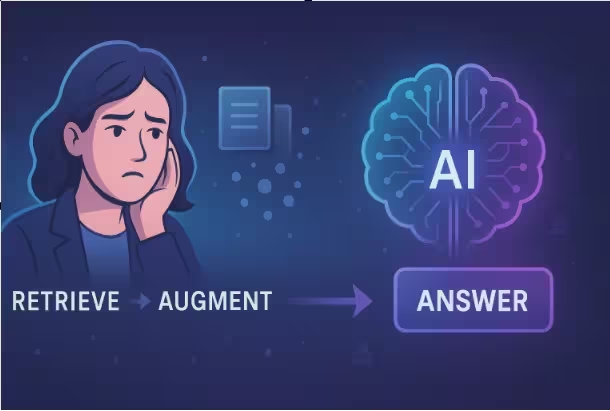
How Retrieval-Augmented AI Transforms Help Desks
1. Introduction
Customer support is being reshaped by AI. Chatbots, virtual agents, and automated help desks are now handling a large share of customer questions. But traditional chatbots have a big problem: they often sound confident while giving incomplete, outdated, or simply wrong answers.
This is where Retrieval-Augmented Generation (RAG) comes in.
RAG combines two powerful ideas:
- Retrieval: searching a knowledge base for the most relevant documents.
- Generation: using a language model (like GPT-style models) to craft a natural-language answer.
Together, they create support systems that are more accurate, grounded in real company knowledge, and easier to update over time.
This article explains what RAG is, why it matters for customer support, the core concepts behind it, and how you might design a basic RAG pipeline for your own support automation.
2. Beginner-Friendly Explanation of RAG for Customer Support
Imagine a customer asks:
“How do I reset my password if I no longer have access to my email?”
A traditional scripted chatbot might:
- Look up a few hard-coded rules.
- Match some keywords (“reset password”) to an FAQ.
- Respond with a generic answer that might not fit the user’s exact situation.
A RAG system, on the other hand, works in two stages:
Retrieve:
It searches your company’s knowledge base:- Help center articles
- Internal FAQs
- Policy documents
- Release notes
It finds the few passages that most likely contain the correct answer, using semantic search over your support knowledge base.
Generate:
It feeds the question + retrieved passages into a language model.
The model then summarizes and explains the relevant information in a user-friendly way.
So instead of relying only on what the model “remembers” from training, RAG forces it to consult your real documentation every time it answers. This makes the responses:
- More accurate
- Easier to verify
- Easier to update (just update your docs, not the model)
In short: RAG is like pairing a very good writer (the language model) with a very good researcher (the retriever and knowledge base).
3. Why RAG Matters for Customer Support Automation
RAG is particularly important in customer support because support content:
- Changes frequently (new features, pricing, policies)
- Is often company-specific (internal processes, tools, and workflows)
- Must be accurate and compliant (especially in regulated industries)
Here are some concrete reasons RAG matters for AI customer support automation:
3.1 Keeps Answers Up to Date
Fine-tuning a model every time you change your policy or UI is:
- Slow
- Expensive
- Risky
With RAG, you just update your knowledge base (KB). The model automatically starts using the latest information because it retrieves it at answer time.
3.2 Reduces Hallucinations
Language models sometimes hallucinate—they make up details that sound right but aren’t. RAG reduces this by anchoring answers to specific documents. You can:
- Show the sources used
- Ask the model to quote or paraphrase only from retrieved content
- Configure the system to decline answering when no good documents are found
3.3 Speeds Up Agent Workflows
RAG is not only for fully automated chatbots. It also helps human support agents:
- Suggesting draft replies based on relevant docs
- Summarizing long tickets and related knowledge
- Surfacing edge-case policies quickly
Agents can review, edit, and send, saving time while keeping control.
3.4 Makes Multichannel Support Consistent
Because every channel (chatbot, email assistant, in-app helper) retrieves from the same knowledge base, RAG helps ensure:
- Customers get the same answer via chat, email, or portal
- Product updates propagate everywhere at once
- Internal and external responses stay aligned
4. Core Concepts of RAG for Support Automation
To build a RAG-based support system, you need to understand a few key building blocks that underpin retrieval-augmented generation.
4.1 Knowledge Base (KB)
This is the source of truth your system relies on:
- Public help articles
- Internal runbooks
- API docs
- Product manuals
- Policy and compliance documents
For RAG, you usually split these into chunks—short passages (e.g., 200–500 words) that can be retrieved independently for question answering.
4.2 Document Embeddings and Vector Store
To quickly find relevant chunks, RAG uses embeddings:
- An embedding is a vector (a list of numbers) that represents the meaning of a text.
- Texts with similar meaning have vectors that are close together in this vector space.
Workflow:
- Convert each KB chunk into an embedding using an embedding model.
- Store them in a vector database (vector store) such as Pinecone, Weaviate, FAISS, or similar.
- At query time, convert the user’s question into an embedding and search for nearest neighbors.
This is often called semantic search, because it matches meaning rather than exact keywords.
4.3 Retriever
The retriever is the component that:
- Takes the user’s question.
- Searches the vector store.
- Returns the top N most relevant chunks (e.g., 3–10 passages).
You can enhance the retriever with:
- Filters (e.g., language, product line, plan type)
- Metadata (e.g., version, last updated date, region)
- Hybrid search (combining semantic and keyword search)
4.4 Generator (Language Model)
The generator is the large language model that:
- Receives the user question plus retrieved chunks.
- Produces a final answer in natural language.
You control the behavior with a prompt that can:
- Instruct the model to stick to the provided docs.
- Ask it to cite or reference where information came from.
- Specify the tone (e.g., friendly, formal, concise).
- Define policies (e.g., “If you are not sure, say you don’t know.”).
4.5 Orchestrator / RAG Pipeline
The orchestrator is the glue code that:
- Receives the customer message.
- Optionally reformulates or clarifies it (query rewriting).
- Calls the retriever to fetch relevant documents.
- Constructs the prompt with question + context.
- Calls the generator to produce the answer.
- Optionally logs, post-processes, and routes the response.
This is what makes RAG a working system rather than a collection of models. …Learn more RAG
pipeline
4.6 Guardrails and Policies
Because support answers can have legal or financial impact, RAG systems often include guardrails:
- Content filters (for safety and compliance)
- Checkers that verify references (e.g., does the answer mention a policy that exists in the docs?)
- “No answer” thresholds (if similarity is too low, escalate to human or ask clarifying questions)
5. Step-by-Step Example: A Simple RAG Workflow for Support
Let’s walk through building a basic RAG workflow for a SaaS company’s customer support chatbot.
Step 1: Prepare the Knowledge Base
- Collect content:
- Export your help center (e.g., from Zendesk, Intercom, Freshdesk).
- Include internal docs that support agents use.
- Clean the text:
- Remove HTML, navigation, and boilerplate.
- Keep titles, headings, and important metadata (product, feature, version).
- Chunk the documents:
- Split long articles into smaller sections (e.g., by headings or every ~300–500 words).
- Each chunk should be understandable on its own.
Step 2: Create Embeddings and Build the Vector Store
- Choose an embedding model (e.g., an open-source or hosted embedding model).
- For each chunk:
- Generate its embedding.
- Store:
- The text content
- The embedding vector
- Metadata (article URL, section title, tags, last updated date)
- Insert all of this into a vector database.
Now your knowledge is searchable by meaning.
Step 3: Handle a Customer Question
A user asks via chat:
“Can I change my billing cycle from annual to monthly, and will I get a refund?”
3.1 Optional: Query Preprocessing
You might:
- Normalize the text (lowercasing, trimming whitespace).
- Add context (e.g., known user details: “User is on Pro plan, region: EU”).
Resulting query:
“For a Pro plan customer in the EU, can they change their billing cycle from annual to monthly, and will they get a refund? Please follow company billing policy.”
3.2 Retrieval
- Embed this query.
- Query the vector store for the top 5 closest chunks.
- Retrieve passages like:
- “Billing FAQ – Changing plans and billing cycles”
- “Refund policy for downgrades mid-cycle”
- “Region-specific billing terms (EU)”
Step 4: Build the Prompt
You now construct a prompt for the language model, for example:
You are a customer support assistant for Acme SaaS.
Use ONLY the information in the ‘Context’ section to answer the customer’s question.
If the answer is not clearly contained in the context, say you are not sure and suggest contacting human support.Context:
[Doc 1: …]
[Doc 2: …]
[Doc 3: …]Customer question:
“Can I change my billing cycle from annual to monthly, and will I get a refund?”
Step 5: Generation
The model reads the question and the context and produces an answer like:
You can switch from an annual to a monthly billing cycle at any time.
However, according to our billing policy, unused time on your annual subscription is not refunded.
Instead, your change will take effect at the end of your current annual period.If you’d like to proceed or discuss exceptions, please contact our billing team via the Help Center.
Because it’s grounded in the retrieved documents, this answer is:
- Aligned with your actual policy
- Easier to audit or update
- Less likely to be fabricated
Step 6: Post-Processing and Delivery
Optional steps:
- Add links to the original articles used to build trust.
- Apply tone polishing or formatting (bullets, steps).
- Log the question, context, and answer for QA and improvement. .. Learn more How RAG works
6. Real-World Use Cases
RAG-based customer support can appear in many places as part of an omnichannel support strategy.
6.1 Public Customer Chatbots
On your website or app:
- Answer product questions
- Guide users through setup
- Explain pricing and features
- Troubleshoot common errors
6.2 Agent Assist in Help Desks
Inside tools like Zendesk or Salesforce:
- Suggest answers while agents type
- Auto-complete repetitive responses
- Quickly pull in relevant KB sections
Agents stay in control but work faster.
6.3 In-Product Assistants
Within the product UI:
- Tooltip-style help based on current screen
- Contextual Q&A about features the user is looking at
- Step-by-step guides for complex workflows
6.4 Internal Support and IT Helpdesks
For employees:
- Answer questions about HR policies, benefits, and IT procedures
- Surface internal SOPs and runbooks
- Help new hires get up to speed
6.5 Self-Service Portals
In knowledge centers:
- Let users ask natural-language questions
- Retrieve and summarize the most relevant articles
- Provide multi-step troubleshooting flows
7. Best Practices for Implementing RAG in Support
7.1 Invest in Good Knowledge Hygiene
RAG is only as good as your documentation:
- Keep docs accurate, versioned, and dated.
- Clearly mark deprecated content.
- Tag documents with meaningful metadata (product, region, plan, audience).
7.2 Design for “I Don’t Know”
Avoid forcing the model to always answer:
- Set thresholds for retrieval relevance.
- If no document is relevant enough:
- Ask a clarifying question, or
- Escalate to a human agent, or
- Say you don’t know and provide contact options.
This builds user trust.
7.3 Start Narrow, Then Expand
Begin with:
- A few high-value areas (billing, onboarding, top FAQs).
- Clear success metrics (deflection rate, handle time, CSAT).
Once stable, expand to more complex topics.
7.4 Keep Humans in the Loop
Use RAG to assist, not fully replace, humans—especially at first:
- Let agents approve/edit AI-suggested responses.
- Collect feedback on wrong or incomplete answers.
- Use analytics to identify knowledge gaps in your docs.
7.5 Optimize Retrieval Quality
Iterate on your retrieval layer for better customer service automation:
- Experiment with embedding models.
- Tune the number of documents returned.
- Add filters by product, language, or customer segment.
- Consider hybrid search (semantic + keyword) for precision.
7.6 Log and Monitor
Track:
- Questions with no good matches
- Escalations to humans
- Topics where answers are frequently corrected
- Latency and reliability across the pipeline
Use this data to update your KB and refine prompts and policies.
8. Common Mistakes to Avoid
8.1 Treating the Language Model as the Source of Truth
Relying only on the model’s internal “knowledge” defeats the purpose of RAG. Always:
- Provide sufficient context from your own docs.
- Instruct the model to stay within that context.
8.2 Poor or Outdated Documentation
If the KB is messy:
- Retrieval will surface wrong or confusing content.
- The model will produce vague or contradictory answers.
RAG cannot fix bad documentation; it amplifies it.
8.3 Overloading the Context Window
Stuffing too many documents into the prompt:
- Increases cost and latency.
- Makes it harder for the model to focus.
- Can degrade answer quality.
Aim for the most relevant few chunks, not everything.
8.4 Ignoring Safety and Compliance
For sensitive domains (finance, healthcare, legal):
- Define strict boundaries on what the agent can say.
- Ground answers strictly in approved documents.
- Always allow escalation to trained humans.
8.5 No Evaluation or A/B Testing
Launching a RAG chatbot and hoping for the best is risky. Instead:
- Run pilot phases.
- Compare RAG answers with human baselines.
- Use customer satisfaction and resolution rates to measure success.
8.6 Lack of Clear Ownership
Someone (or a small team) should own:
- The knowledge base quality
- RAG configuration and prompts
- Monitoring and continuous improvement
Without ownership, quality will drift over time.
9. Summary / Final Thoughts
RAG for customer support automation combines the strengths of search and language models. It allows you to:
- Ground AI answers in your company’s real documentation
- Keep support content up to date without constant model retraining
- Reduce hallucinations and improve trust
- Support both fully automated chat and human-assisted workflows
The core pieces—knowledge base, embeddings, vector search, retrieval, generation, and guardrails—work together to deliver more accurate, context-aware, and maintainable support experiences.
As customer expectations keep rising, RAG offers a practical way to scale support while staying accurate, compliant, and human-friendly. Even small teams can begin with a limited scope and grow their RAG-based support capabilities over time.
10. FAQs
1. How is RAG different from a traditional chatbot?
Traditional chatbots usually rely on:
- Hard-coded rules
- Keyword matching
- Limited dialog flows
RAG-based assistants, instead, search your knowledge base on every query and then generate natural answers grounded in that content. This makes them more flexible, scalable, and accurate for automated customer support.
2. Do I need to train my own language model to use RAG?
No. Most organizations:
- Use existing hosted or open-source language models.
- Focus on building a good retrieval layer and knowledge base.
- Configure prompts and guardrails instead of training from scratch.
Training a large model is expensive and rarely necessary for support use cases.
3. What types of content work best in a RAG knowledge base?
Any well-structured, text-based content is useful:
- Help center articles
- FAQs
- Internal how-to guides and runbooks
- Product and API documentation
- Policy and terms documents
The key is clarity, structure, and up-to-date information.
4. How often should I update the knowledge base?
Update the KB whenever:
- You ship new features
- You change policies or pricing
- You discover recurring questions without good coverage
Many teams adopt a continuous documentation mindset and treat KB maintenance as part of the release process.
5. Can RAG work with multiple languages?
Yes. You can:
- Use multilingual embeddings and models.
- Maintain separate KBs per language.
- Or store language metadata and filter retrieval by locale.
However, quality documentation in each language is still essential.
6. How do I measure success for a RAG support system?
Common metrics include:
- Self-service resolution rate / ticket deflection
- Average handle time (for agents using AI assist)
- Customer satisfaction (CSAT or NPS for support)
- First response time
- Escalation and handoff rates to humans
You can also manually review a sample of AI answers for accuracy.
7. Is RAG safe for regulated industries?
It can be, but you must:
- Carefully define what the model is allowed to say.
- Ground answers strictly in approved documents.
- Add human review for high-risk requests.
- Work closely with legal and compliance teams.
RAG helps by making content easier to audit and update centrally.
8. How much technical expertise do I need to implement RAG?
You’ll typically need:
- Engineering skills to integrate the components (retriever, vector DB, LLM API).
- Product/ops skills to design workflows and guardrails.
- Content expertise to maintain the knowledge base.
Some vendors offer end-to-end RAG platforms that reduce the technical burden.
9. Can RAG be used just for internal support?
Yes. Many companies start with internal use cases:
- IT helpdesk (passwords, tools, access)
- HR questions (benefits, policies)
- Engineering documentation Q&A
Internal deployments are a lower-risk environment to learn and iterate.
10. What’s the first step if I want to try RAG for my support team?
A practical first step is:
- Pick a narrow domain (e.g., billing or account management).
- Clean and structure the relevant documentation.
- Use a hosted vector database and LLM API for a small proof of concept.
- Pilot it with a few agents or a limited set of customers.
- Iterate based on feedback before scaling.
This approach lets you validate value quickly without a large upfront investment.
Your point of view caught my eye and was very interesting. Thanks. I have a question for you. https://www.binance.info/register?ref=IHJUI7TF